Organize Your Medicine Cabinet with Quantities and Expiry Dates
Organise medicine cabinet inventory with NuvoPage My Apps. Record package dates, quantities, and locations, and keep separate batches easy to find.
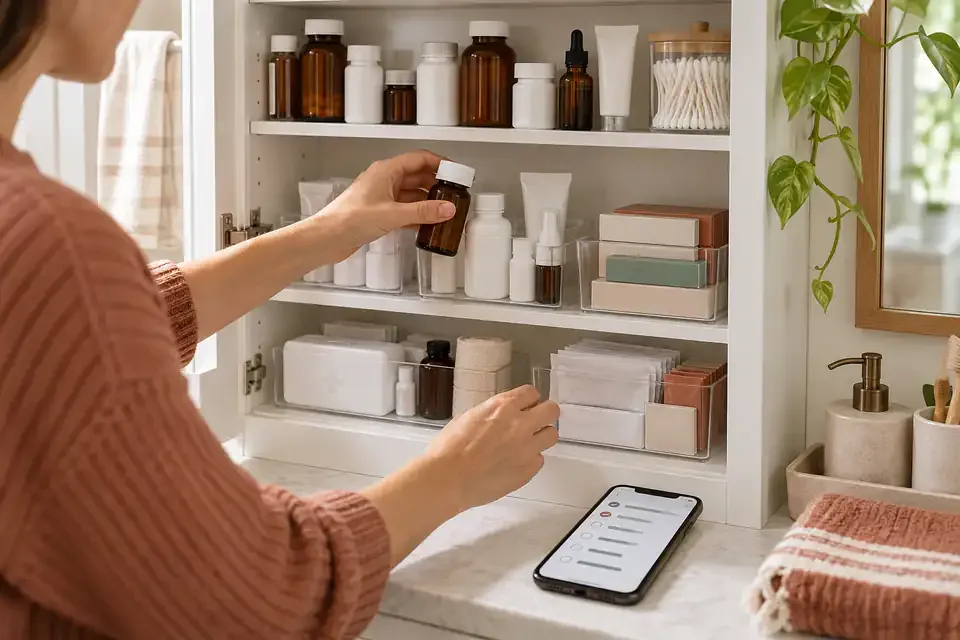
Make the contents easier to see
A medicine cabinet can contain several packages that look similar, items stored behind other boxes, and products kept in more than one place. When someone asks what is already there, answering may involve opening each cupboard and checking every label.
A simple inventory gives those items a shared list. It can show the name, recorded quantity, storage location, and expiry information entered from the package. That makes organising the cabinet more manageable without asking memory to keep track of every change.
NuvoPage My Apps provides a Medicine Expiry template for this purpose. It is an inventory tool for package records. It does not tell anyone which medicine to take, how much to use, or whether a product is suitable for a particular person.
Set up the cabinet as a place
Create an app with a recognisable name, such as “Hall Cabinet” or “Household Medicine Inventory.” If you use a QR label, place it where the people maintaining the list can open it conveniently.
Choose contribution and viewing access before adding information. A household may use simple contributor PINs or owner-only access. Anyone mode is available for suitable uses, but it should be an intentional choice rather than an assumption that everything on a QR label is private.
You can keep the records focused on products and quantities without adding personal health details. Names of family members, diagnoses, and treatment instructions are not needed to answer the basic inventory question of what is in the cabinet.
Use product names people can distinguish
Enter enough detail to distinguish one package from another. Two boxes may share a brand name while differing in form or package description. Copy identifying information carefully so the list is useful when someone looks for a particular item.
If a barcode is present, scan it through the app. An unfamiliar code still needs a product name and unit the first time it is added. Later scans can recognise the product saved in your workspace.
A barcode identifies the product record; it does not supply every detail printed on the package. Review what appears after scanning and confirm that it matches the item in your hand, especially when similar products are stored together.
Choose a quantity convention you can maintain
Decide what one unit means before entering quantities. You might count boxes, bottles, or another clearly defined package unit. Put that unit beside the number so “2” has a consistent meaning.
Counting sealed packages is a different task from counting individual contents inside an opened package. Choose the level of detail that people will actually maintain. An elaborate counting scheme quickly loses value if normal use does not get recorded.
The app’s quantity should always be interpreted according to that convention. If you track bottles, a balance of one means one recorded bottle, not a guarantee about how much remains inside. Notes can help explain an opened package without turning the inventory into a dosing or administration system.
Copy expiry information without adding precision
Record the expiry information shown on the package. If the label gives a complete date, enter it as such. If it gives only a month and year, preserve that precision rather than inventing a printed day.
Keep the package as the reference when something is unclear. A missing date in the app means the record is incomplete; it does not mean the product has no expiry information. You can add a note to identify what needs checking.
Dates can help organise a manual cabinet review, but they are only as accurate as the information entered. Check the saved value against the package when first adding the item.
Keep different batches separate
Buying another package of the same product does not mean the new one has the same expiry information. Separate batches preserve those differences while allowing the product to remain recognisable as the same item.
For example, you may have one box in a cabinet and another in a travel bag. They could have different dates, locations, or quantities. Keeping separate records makes it easier to find the actual package you intend to inspect or remove.
When adding stock, avoid merging records simply because the barcode matches. The barcode can identify the product, while the batch record carries package-specific details. This small distinction is what keeps an expiry list useful after repeated purchases.
Update the list when packages move or leave
Use Add when bringing an item into the inventory and Remove when taking it out of the tracked stock. When a package moves, record the corresponding removal and addition with the new location so the inventory continues to match the physical arrangement.
Keep the meaning of Remove clear: it records an inventory change. It does not establish that a particular person took a medicine, and it should not be treated as a medication administration record.
A brief reason or note can help distinguish a moved package from a counting correction or an item taken out of the cabinet. If several people maintain the list, agree on these conventions so the history remains understandable without requiring a lengthy explanation for every action.
Use date indicators to organise a review
Sort and review the entered package dates regularly so you can decide which records to inspect first. NuvoPage records the printed information; it does not evaluate the medicine or make a decision about using it.
Keep availability status separate from the date indicator. An item can still be physically present in the cabinet while its recorded date has passed. Hiding that distinction would make the inventory less accurate.
Set a practical review habit for the list. Check entries with missing dates, inspect the relevant packages, and update locations or quantities that no longer match. The benefit comes from connecting the digital record back to what is physically there.
Start small and keep the record useful
Begin with one cabinet or a manageable selection of packages. Add names, explicit units, recorded dates, and locations. Then test the ordinary sequence of adding a package and removing it from tracked stock.
Ask whether the list answers useful questions: can you find the package, distinguish it from a similar one, and see which date was recorded? Remove fields that do not help with those questions. Add detail only when you have a reason to maintain it.
NuvoPage can give medicine cabinet inventory a convenient place to live, opened through a browser when you need it. Keep its role focused on organisation, and let accurate package records make the contents easier to find and review.